














Tables and Sheets Layers Are Now Supported
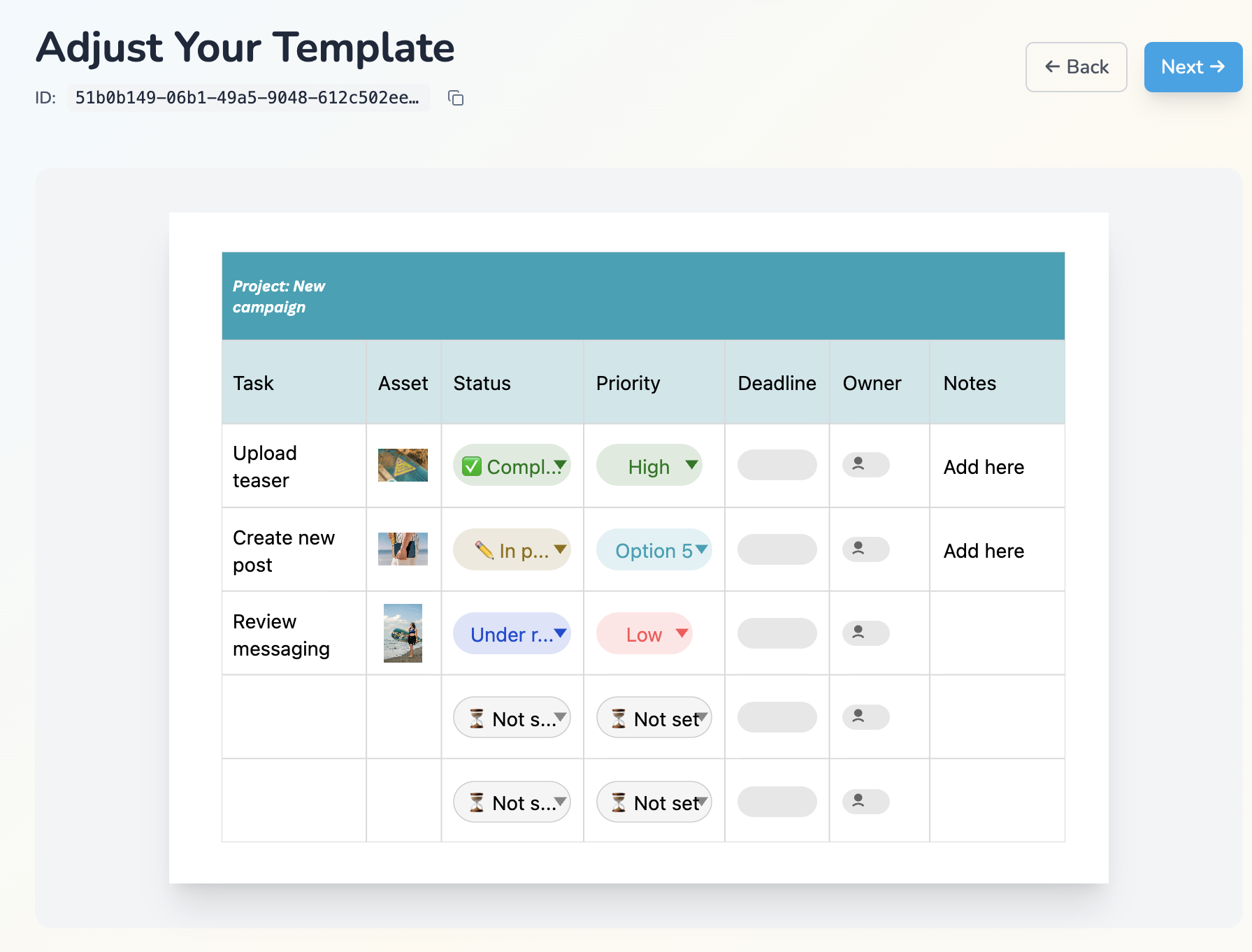
Sheets and tables are now detected as layers made up of texts and images, so you can control them when generating template variants.
If your Canva template includes a table, spreadsheet layout, pricing grid, comparison chart, or schedule, Layerre can now interpret that structure into editable layer content instead of treating it like a fixed visual block.
What changed
- Sheets and tables are now detected during template import and expanded into layers made up of texts and images.
- You can control that content when generating template variants, instead of working around a flattened layout.
- This works alongside your existing text and image layers in the same template.
- Existing design workflows can now include sheet-based and table-based sections without rebuilding the design.
Why it matters
Structured layouts are common in real design work, but they usually become a bottleneck in automation. Once content lives inside a table or sheet, many tools stop treating it as editable data.
With this update, Layerre can turn those table and sheet structures into controllable layer content, which makes it much easier to automate data-heavy creative while keeping the original Canva layout intact.
Ready to try table and sheet support?
If you already build Canva templates in Layerre, you can now bring in table and sheet-based layouts as part of the same workflow and generate variants with structured cell data.