














Using AI in Design Automation
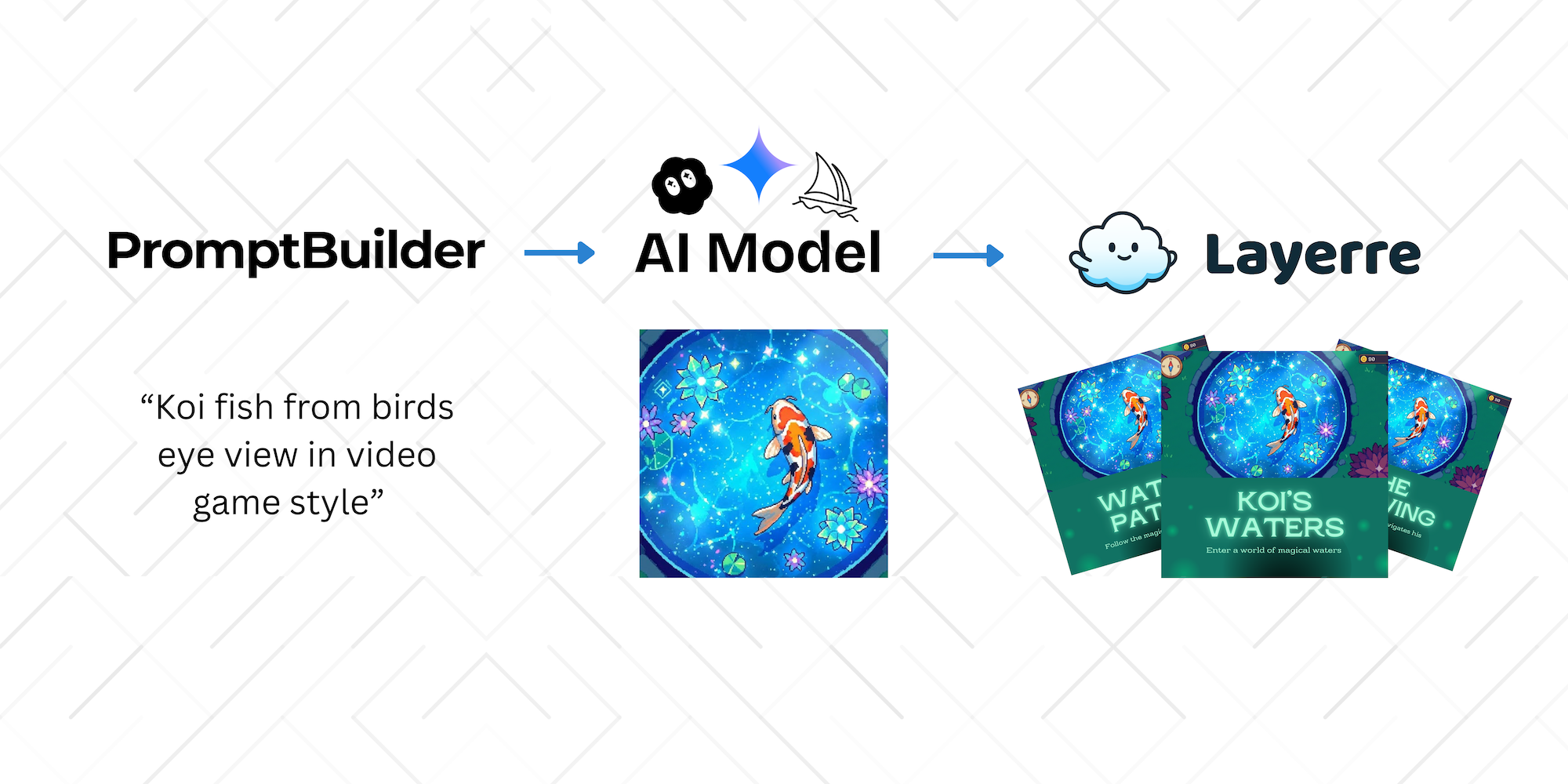
The Incomplete AI Workflow
AI tools are great at generating content. Teams invest hours crafting perfect prompts, comparing models, and fine-tuning outputs. But there's a problem: most AI workflows stop at generation.
You get text. You get images. But they don't turn into usable design at scale. The gap between AI output and production-ready assets is where workflows break down.
Most AI workflows stop at generation. Real value comes from what happens next.
Crafting High-Quality Inputs
Prompt quality matters. A well-structured prompt produces consistent, reusable outputs. A vague one creates chaos that compounds across hundreds of variations.
Prompting is a discipline, not a trick. Teams that standardize their prompts see better results: consistent tone, predictable structure, and outputs that actually fit their brand.
Tools like PromptBuilder help teams standardize and refine how prompts are written, making outputs more predictable and reusable.
Choosing the Right Model for the Job
Different models behave differently. Text models excel at copywriting but struggle with visual descriptions. Image models vary in style, cost, and speed. Understanding these tradeoffs matters.
You're not just picking a model. You're choosing speed vs quality, cost vs capability, style vs flexibility. These decisions compound when you're generating at scale.
Platforms like AIHub make it easier to compare models and understand these tradeoffs before committing to a workflow.
The Gap: Where Most AI Workflows Break
Good prompts plus good models doesn't equal usable output. You still have the same bottleneck: turning AI-generated text and images into consistent, branded design.
What happens next? Manual design work. Copy-pasting into Canva. One-off assets that don't scale. Teams spend more time formatting AI output than they saved by generating it.
Design Automation with Layerre
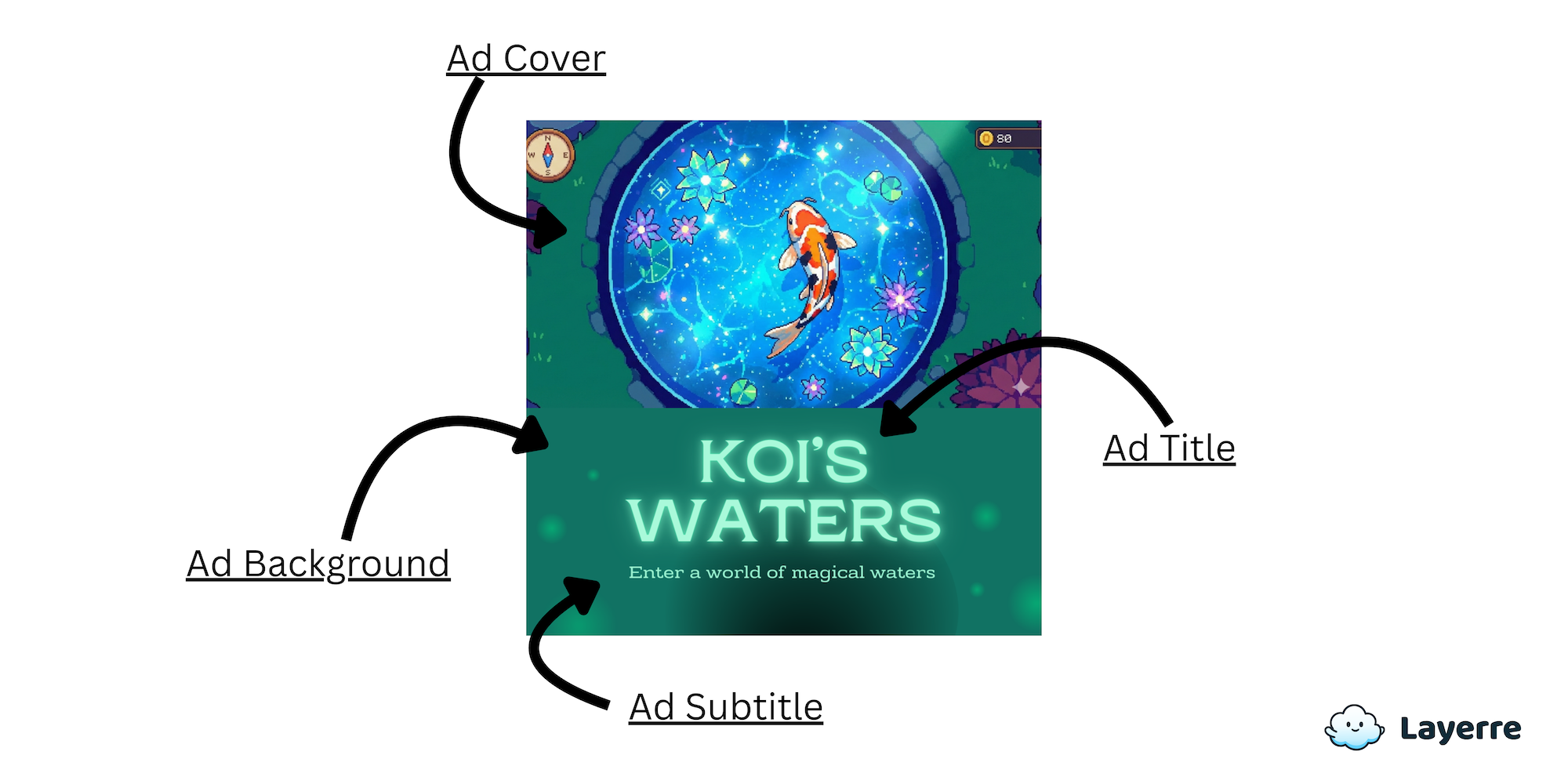
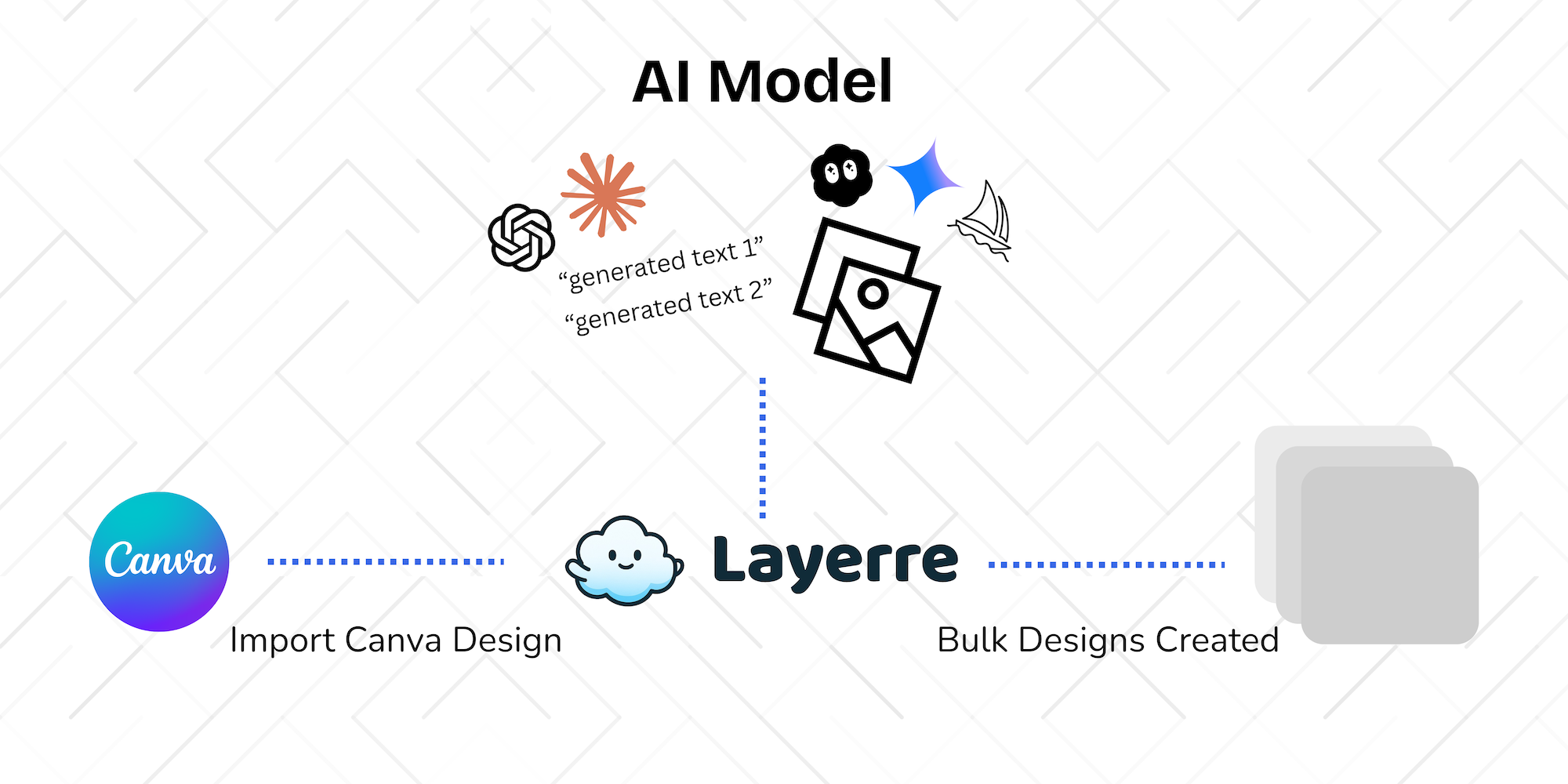
Layerre is the production layer. It connects AI-generated text and images to Canva templates, turning prompts and model outputs into branded designs at scale.
How it works:
- Templates matter: One well-structured Canva template becomes the foundation for unlimited variations
- Automation beats duplication - No more copy-pasting. AI output flows directly into your designs
- Scale unlocks value: Generate hundreds of variations in minutes, not days
- API + UI: Use the interface for quick batches or the API for programmatic workflows
- No-code and developer-friendly: Works for teams at any technical level
Layerre doesn't replace AI tools. It makes their output usable in the real world.
What a Complete Workflow Looks Like
Here's a concrete example: A marketing team needs 500 social posts for a product launch campaign.
The Complete Workflow
- PromptBuilder standardizes the prompt structure for product descriptions and social copy
- AIHub helps select the right text and image models for the campaign's tone and style
- AI generates 500 captions and 500 product images
- Layerre injects them into branded Canva templates, generating all 500 social posts automatically
- Assets export in the right formats (square, story, feed) and push to social platforms via API
Result: What used to take weeks of manual design work now takes hours. The team can test more variations, iterate faster, and focus on strategy instead of production.
PromptBuilder improves input quality. AIHub improves model confidence. Layerre delivers output at scale. Together, they complete the workflow.
Why Layerre Is the Critical Final Layer
Here's the positioning that matters:
- Prompting creates content: It generates the raw material
- Models shape style: They determine tone, quality, and characteristics
- Layerre creates systems: It turns one-off outputs into repeatable production
Layerre doesn't replace AI tools. It makes their output usable in the real world.
Without the production layer, AI workflows remain experiments. With it, they become infrastructure. That's why Layerre is essential, not optional.
Who This Workflow Is For
Marketing Teams
Generate hundreds of ad variations, social posts, and campaign assets without burning out designers. Layerre's bulk generation and API make high-volume production practical.
Founders
Ship professional design at startup speed. No design team required, just templates, AI output, and Layerre's automation.
No-Code Builders
Connect AI tools to design automation without writing code. Layerre's UI handles the workflow, and the API integrates with your existing tools.
Developers Automating Content Pipelines
Build programmatic content systems. Layerre's REST API fits into existing pipelines, turning AI output into production-ready assets automatically.
From Experiments to Production
There's a difference between AI experimentation and AI production. Experimentation is generating one-off outputs. Production is turning those outputs into systems that scale.
Layerre is the step into production. It's the layer that makes AI workflows complete, connecting prompt engineering and model selection to automated design generation.
When your AI workflow is complete, content doesn't just get generated. It gets shipped.
Ready to complete your AI workflow?
Connect your AI tools to Layerre and turn generated content into production-ready designs at scale.