
Video Tutorial
n8n Tutorial 2: Create Bulk Image Variants from Google Sheets with Layerre
•9 min read
In this video
- Connect Google Sheets to n8n and read your data
- Point Layerre at a Canva design URL (one template for all rows)
- Generate image variants in bulk from sheet rows
Create image variants from Google Sheets using n8n and Layerre. Your sheet drives the variants; no code required. Ideal for teams that already work in spreadsheets.
The workflow
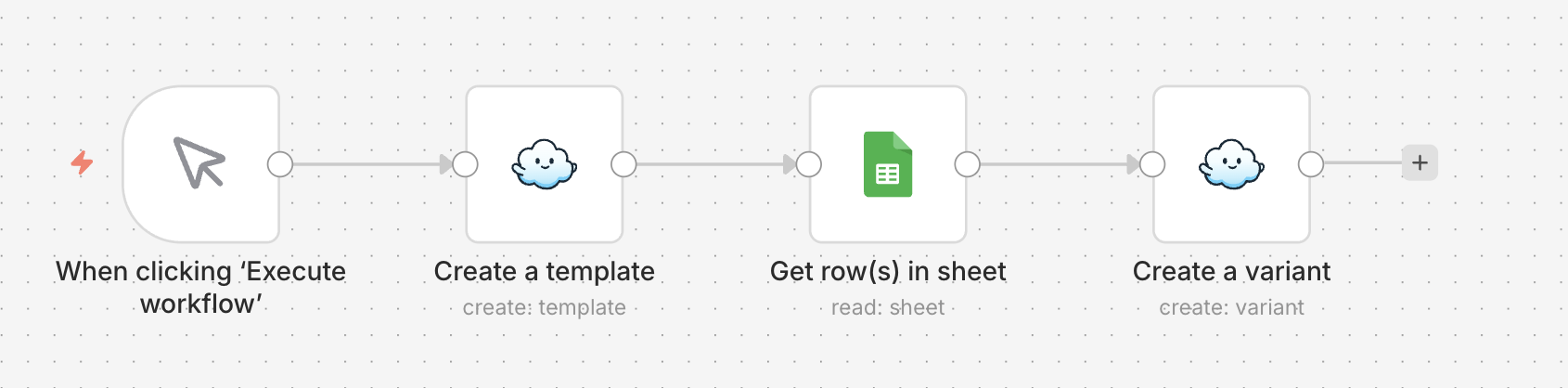
- Google Sheets node reads your rows
- Layerre creates template from Canva URL
- Loop each row → Layerre generates one image per row
- Optional: write image URLs back into the sheet
Prerequisites
Ready to try Layerre?
Create templates from your Canva designs and generate image variants at scale. No code required. Start in the dashboard or connect via API.